Skip to content
View in the app

A better way to browse. Learn more.

UnityHQ Nolfseries Community

A full-screen app on your home screen with push notifications, badges and more.

To install this app on iOS and iPadOS
  1. Tap the Share icon in Safari
  2. Scroll the menu and tap Add to Home Screen.
  3. Tap Add in the top-right corner.
To install this app on Android
  1. Tap the 3-dot menu (⋮) in the top-right corner of the browser.
  2. Tap Add to Home screen or Install app.
  3. Confirm by tapping Install.

Last Stand 1.0

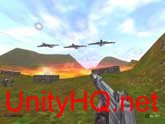
1 Screenshot

Last Stand


by Captain Freedom


This is a game "Add-on." A add-on is an expansion from the original. Kind of like a free expansion pack, but done but members of our NOLF gaming community for free...

Cate Archer is back fighting HARM and this time they have there eyes set on a nuclear weapon. You find your self driving, swimming, and fighting a huge army in this add-on


This Download includes:

new sounds

new voices

new skins

6 new levels


After you install this add-on to the NOLF's Default directory, There is 2 was to play it.

If you have you copy of "No One Lives Forever" installed in the default directory you can run it just by clicking the "Last Stand" icon.


For advanced users: Start NOLF, click Advanced/customize and load the "Last_Stand.rez" Then Click ok/ok/Launch.

This Add-on should not be run for any on-line play. Because some voices and skins have been replaced. It will not help you, only hinder you.

What's New in Version 1.0

Released

No changelog available for this version.

Important Information

By using this site, you agree to our Guidelines Privacy Policy.

Account

Navigation

Search

Search

Configure browser push notifications

Chrome (Android)
  1. Tap the lock icon next to the address bar.
  2. Tap Permissions → Notifications.
  3. Adjust your preference.
Chrome (Desktop)
  1. Click the padlock icon in the address bar.
  2. Select Site settings.
  3. Find Notifications and adjust your preference.